
How to Register with Light on the Rock:
We welcome your feedback and love to read your comments for any of the Sermons and Blogs, however you will need to register with Light on the Rock by clicking on the Sign In button in the top menu. Click on the Don't have an account link? to create your account. Please follow the instructions and select the Remember me checkbox so that the system will automatically log you in when you visit the site. Note that if you clear your browser's cache, you may have to re-enter your username and password when you visit the site again.
You will receive a confirmation email sent to the email address you used to register. Once you have confirmed your email address is correct, you will need to log into Light on the Rock by clicking on the Sign In button on the top menu. Once you are logged in, your username will be displayed in the top menu.
To leave a comment for a blog, click on the Continue reading square button. The entire blog will be displayed along with any comments. Below the comments section is the comments form where you can submit your own comment.
Registration Steps:
1. Click on the Create an Account link
2. Enter your full name
3. Enter your Username (this is what you will use to login)
4. Enter a Password. Note: it is recommended you write down or save the password as text file so you can easily copy & paste in your password when logging into the site
5. Confirm your Password
5. Enter a valid Email Address. This is important as a confirmation email will be sent to your email address. Once you click on the verification link, you will be automatically registered.
6. If prompted, click on the "I am not a robot" checkbox in the reCAPTCHA section
Finally, click on the Register button. Whenever a "Remember Me" dialog is displayed:
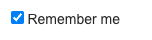
Click on the checkbox for the system to remember your credentials for quick access the next time you visit Light on the Rock.
Note:
To leave comments for any of the Audio or Video sermons and Blogs, you must be first registered with Light on the Rock and logged in.